The platform

Eighteen modules that all write to the same record

Marketing brings the person in, sales works them, and every call, message, meeting and deal lands on one contact timeline. Nothing is exported, nothing is retyped, nothing is lost in the handover.

Full Pro plan, up to 5 seats. No credit card.

DeeCore workspace

LAYER 01

Marketing brings people in

Ads, social content, email and WhatsApp campaigns, booking links and website forms — all creating contacts directly.

LAYER 02

Sales works them

One queue, one softphone, a lead board for the setter and a deal board for the closer. Revenue is recorded once.

LAYER 03

AI runs across both

Transcribes the calls, drafts the captions, and re-reads every lost lead for the ones worth a second attempt.

Module index

Every module in the platform, in three groups

One login, one bill, one contact record underneath all of it. Filter the list to the part of the business you are buying for.

01CRM

Contacts

One record per person, with the full activity timeline.

02CRM

Leads

Round-robin assignment, stages, saved views.

03CRM

Deals

Kanban or table. Setter hands over to closer.

04CRM

Invoicing

Bill from the deal that was won.

05CRM

Reports

Revenue, pipeline and team performance.

06CRM

Workspace

Several companies, one login, isolated data.

07Marketing

Contact lists

Segments that stay in sync with the CRM.

08Marketing

WhatsApp

Shared inbox, templates, campaigns.

09Marketing

Email campaigns

Send, schedule, and see opens and clicks.

10Marketing

Ad performance

Meta and Google spend next to the leads it made.

11Marketing

Social

Content calendar, publishing, comments and DMs.

12Marketing

Templates

Reusable email and WhatsApp messages.

13Productivity

Tasks

Reminders attached to the record they belong to.

14Productivity

Files

Documents stored against the contact or deal.

15Productivity

Booking

Public pages, availability, no-show tracking.

16ProductivityBETA

Workflows

Triggers, conditions and delays.

17ProductivityCOMING SOON

Mobile app

iOS and Android field companion for reps.

18Productivity

Search

Command-K across contacts, leads and deals.

CRM and sales

A setter funnel and a closer funnel, on one record

Leads move on their own board, deals on another, and revenue is recorded only on the deal — so there is one number and one place it comes from.
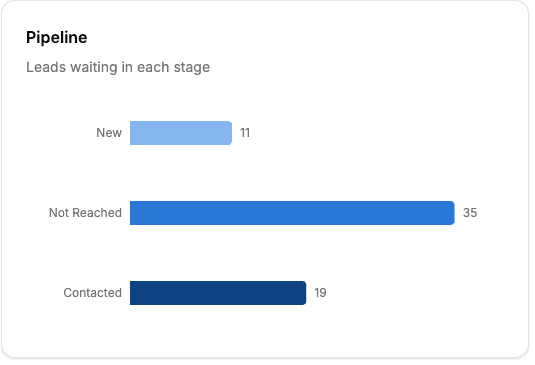
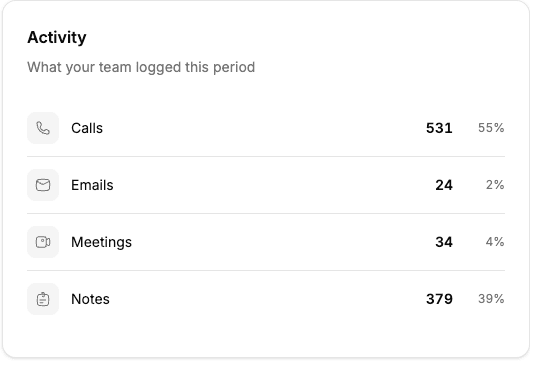
Deal pipeline by stageTeam activity
Contacts
One permanent record per person, with every call, email, message, meeting and stage change in one chronological feed. Custom fields without a developer.
Duplicate-proof intake
A returning person is matched on phone first, email second, and merged into the record you already have.
Leads
Kanban and table on the same saved views. Losing a lead requires a reason, so "why do we lose" is a report. Winning one is a deliberate conversion that collects value, closer and notes.
Deals
Meeting, proposal, negotiation, reservation, won or lost — linked back to the lead and contact that started it.
Pipelines you configure
Name, order and translate your own stages. Each maps to a fixed system status, so a rename never breaks a report or an automation.
Routing and speed-to-lead
Meta ad leads arrive by webhook in seconds and are round-robined to your active setters, so the first call happens while the lead is warm.
5
Call outcomes logged in one click
∞
Pipelines per company
1
Screen for today's queue, schedule and numbers
CSV
Guided import in, export out, any time

Marketing

Campaigns that hand the lead straight to the pipeline

Email, WhatsApp, social and ads run inside the CRM, on the same segments and the same contact record — so there is no CSV between the campaign and the call.

Email campaigns

Build, schedule, launch and stop a campaign to any segment, with send caps and a circuit breaker behind it.

  • First-party open and click tracking, bot opens excluded
  • Engagement chart, conversion funnel, per-link breakdown
  • Every open writes to the contact timeline before the rep calls

Contact lists and segmentation

Saved audiences built with the same filter engine as the rest of the CRM.

  • Conditions AND inside a group, groups OR together
  • Contains, starts with, between, is empty, in the last N days
  • Filter on the contact, their leads, or who wrote the note

WhatsApp

A shared team inbox for WhatsApp Business, tied to the record the conversation belongs to.

  • Media, voice notes, delivery and read receipts, live
  • Templates managed in-app, campaigns consent-gated
  • A health check that tells you when a number is misconfigured

Social calendar and inbox

Plan, approve and publish to Facebook, Instagram, LinkedIn, TikTok and YouTube from one calendar.

  • Idea, draft, review, approved, scheduled, posted — with owners
  • Composer validates each network's media and caption rules
  • Comments, DMs and mentions in one queue, assignable

Spend on one side, closed revenue on the other

Connect Meta and Google ad accounts and read live campaign performance next to the leads and deals they produced. Ad Clients groups accounts per client or brand, across providers and currencies.
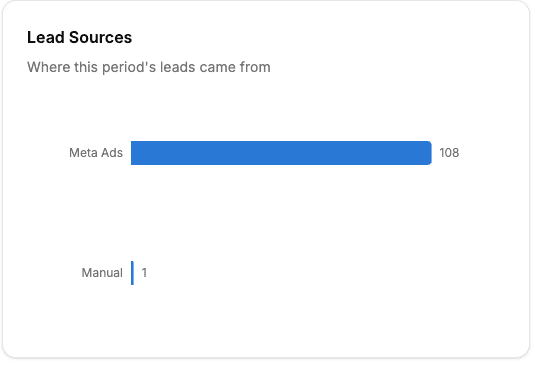
  • Meta lead forms flow straight into the pipeline, assigned
  • Conversions API sends qualified, booked and purchased back to Meta, so the algorithm optimises on sales rather than form fills
  • Outbound webhooks and Zapier for everything else
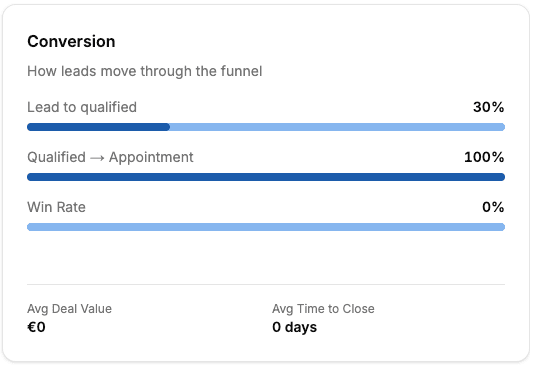
Lead sources reportConversion funnel

Deliverability

Your domain, your reputation, and a wizard that names the missing record

Bring your own provider or use DeeCore Email. Live DNS checking tells you which record is missing, wrong, duplicated or conflicting instead of showing a red cross and nothing else.

  • Marketing mail sends from your verified domain
  • Transactional mail sends separately, so a campaign problem can never break a password reset
  • Unsubscribes, suppression lists and complaint-driven consent revocation are automatic
  • Per-channel consent on every contact — revoked means not sent

Communication hub

Phone, mailbox and calendar, inside the record

Dial from the browser, read the real email thread, and let clients book real time with your team. Everything is written back to the timeline without anyone logging it.

Built-in phone

A softphone in the browser on Twilio, Microsoft Teams or FreJun — several at once if you need it.

  • Per-user numbers, line switching per call
  • Recording, searchable call logs, AI transcription
  • In-call diagnostics in plain language

Email, two ways

Connect a Google or Microsoft mailbox for one-to-one, and use campaigns for the list.

  • Sent and received threads on the record
  • Compose, reply, Cc, attach, without leaving it
  • Templates, per-user signatures, saved drafts

Calendars and meetings

Connect Google or Outlook and meetings appear on the timeline both ways.

  • Meetings booked in DeeCore land in the host's calendar
  • Cancelling or rescheduling updates it
  • Existing meetings block your booking pages

Booking pages that create the lead for you

Share a link in a signature, on a landing page or in an ad. A booking creates the contact and the lead automatically, and whether it also creates a deal is your choice per event type.
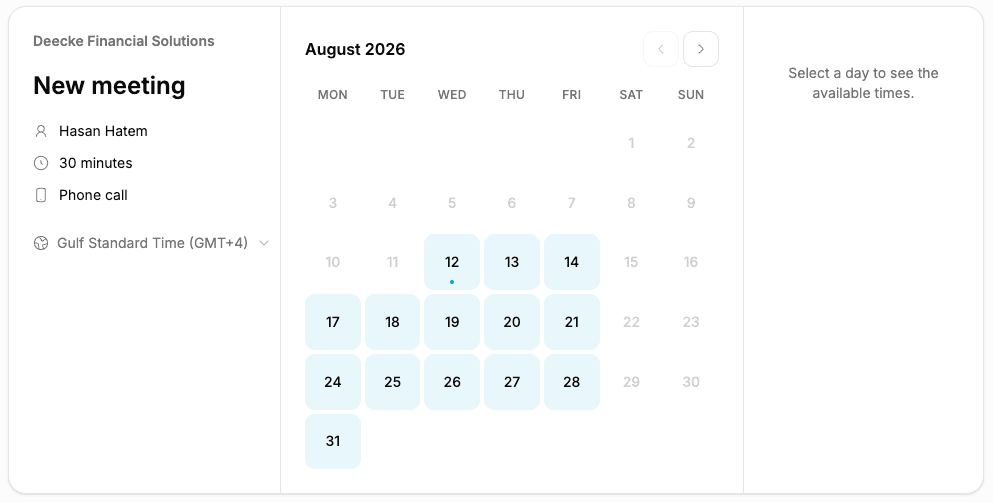
  • Event types with durations, buffers, notice periods and custom questions
  • Availability per person, in their own timezone, DST-correct
  • Round-robin and collective hosting; a returning contact is offered their own rep first
  • Double-booking-proof, and it works with zero calendars connected
  • Reschedule and cancel links, plus a no-show queue that updates the deal
DeeCore booking page

Productivity

The admin work, attached to the thing it is about

Tasks, files, saved views and search all hang off the contact, lead or deal — and the whole team's work stays visible to whoever needs it.

Tasks

List, board and calendar views. Assignees, watchers, due dates, priorities, attachments, templates, and comments with @mentions.

Cross-company routing

Send a task to another company in the group, with triage, rejection and reassignment on the receiving side.

Files

Documents against the contact, lead, deal or organisation, with scoped visibility — a rep sees their own, a manager the team's.

Saved views

Your columns, sort and filters, switched as tabs. The view lives in the URL, so it survives a refresh, a back button and a shared link.

Search and notifications

A keyboard command palette across contacts and leads, and a live notification feed with per-user preferences per channel and type.

Mobile app

COMING SOON

A field companion for reps built around speed-to-lead: leads, deals, tasks and contacts, with call, WhatsApp and email from the detail screen. In internal testing, not yet on the app stores.
  • Full English and German interface, including every email
  • Emails written in the recipient's language
  • Currency, date and number formats follow the workspace
Workflow builder

Automation

BETA

A workflow builder your marketing lead can actually use

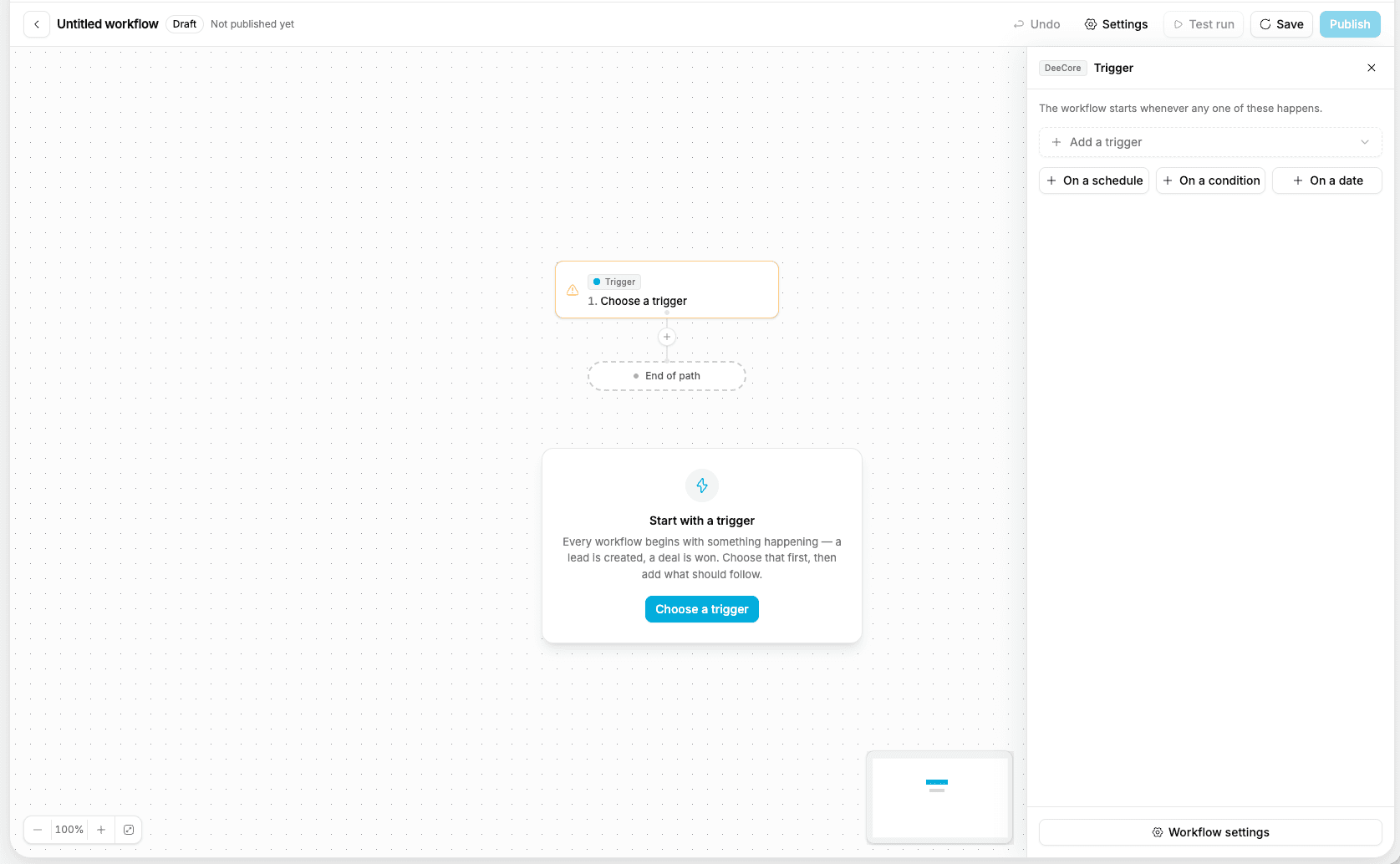
Start from a trigger — a lead is created, a stage changes, a deal is won, 24 hours before the meeting — then branch, delay and act. Sending windows keep automations inside business hours, and goals stop a sequence the moment the lead books.

  • Assign by round-robin, move a stage, update a field, create a task, send an email, notify a colleague
  • Dry run shows what it would do to a real record before you switch it on
  • Run inspector says which step did what, when, and why a record did not enrol

Reporting and attribution

The report a social tool cannot print

Because the same database owns the conversation, the contact, the lead and the deal, the funnel reads all the way through to closed revenue. Not impressions — money.

conversationscontactsleadsdealsclosed revenue

Dashboard
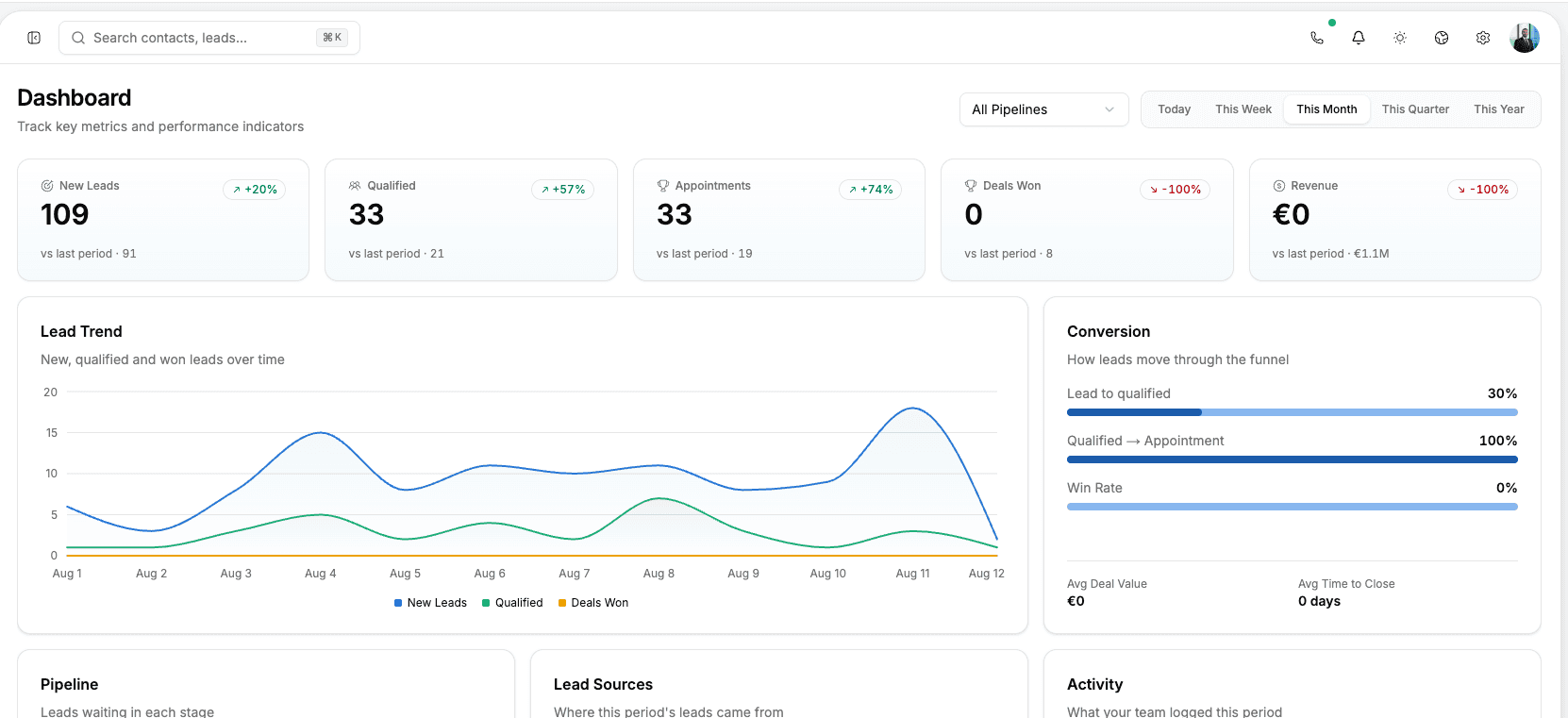
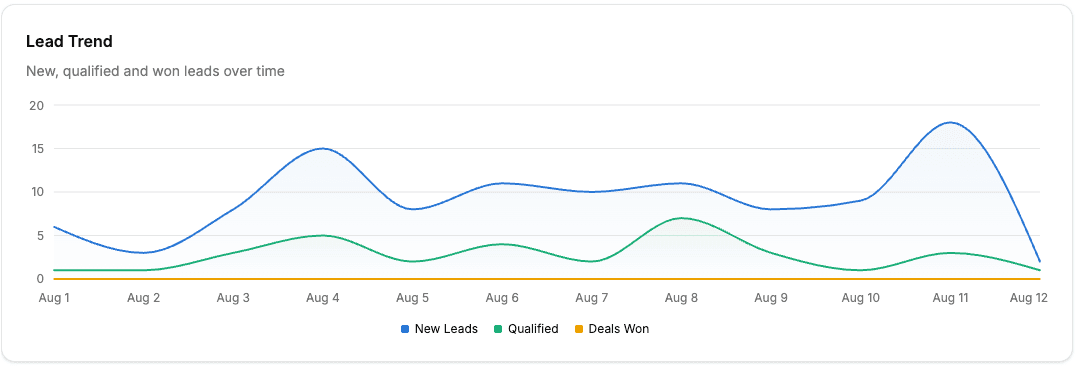
Contacts, new leads, qualified, appointments set, deals won and lost, revenue and win rate — each against the previous period, over any range.
Custom report builder
Pick a source — contacts, leads, activities, tasks — then group, filter, bucket by date and save it.
Custom dashboards
Assemble saved reports into widget grids, share them with the team, export to CSV.
Per-rep performance
Scoped by role: a rep sees their own numbers, a manager sees the team. Empty is shown as empty, never as an invented flat line.
KPI tilesLead trendTeam activity

Administration and security

Several companies, one login, isolated data

Run every company in the group in one system with fully isolated data and a one-click switcher. Roles, permissions, providers and data controls live in one settings area — the same one that runs four Deecke companies.
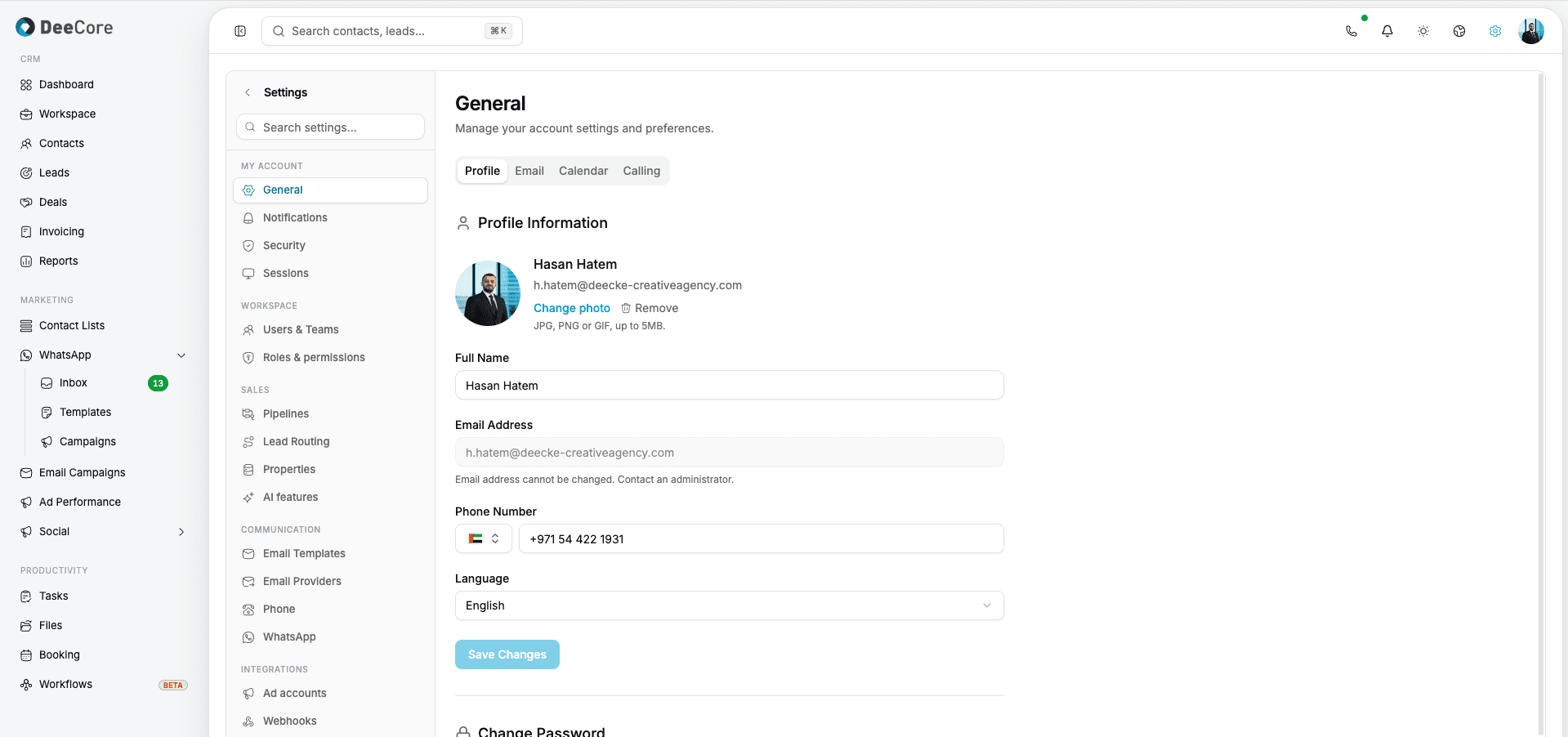
  • Four preset roles plus unlimited custom ones, on a view, edit, delete and export matrix set to none, own or all
  • A control someone cannot use is shown locked with an explanation, never hidden
  • Hosted in the EU and aligned to GDPR, with a 99.9% uptime target
  • Import from CSV with field mapping and export whenever you want. No lock-in.
DeeCore settings

Security

  • Two-factor with backup codes
  • Active session list, revoke any device
  • Credentials encrypted at rest
  • Full audit log on every change

Data and compliance

  • Deletion requests and retention policies
  • Consent records per channel
  • Automated backups with restore
  • Export to CSV or XLSX

Developer

  • API keys and a public API
  • Outbound webhooks with delivery logs
  • Zapier integration
  • Signature-verified inbound webhooks

Group structure

  • One-click company switcher
  • Subsidiaries stay separate
  • Group staff can work across them
  • Shared meeting-room booking

Try the whole platform for fourteen days

Every module on the Pro plan, up to five seats, no credit card. Import your contacts, connect a number and a mailbox, and route the first lead the same day.

Pricing starts at $19 per seat per month. See the plans